All four AIs. One subscription.
Claude, ChatGPT, Gemini and Grok at one table, with you in control.
The book teaches the method. YAATZ is where you put it to work every day. If you’re new to the method, start with the book — or listen to a chapter free.
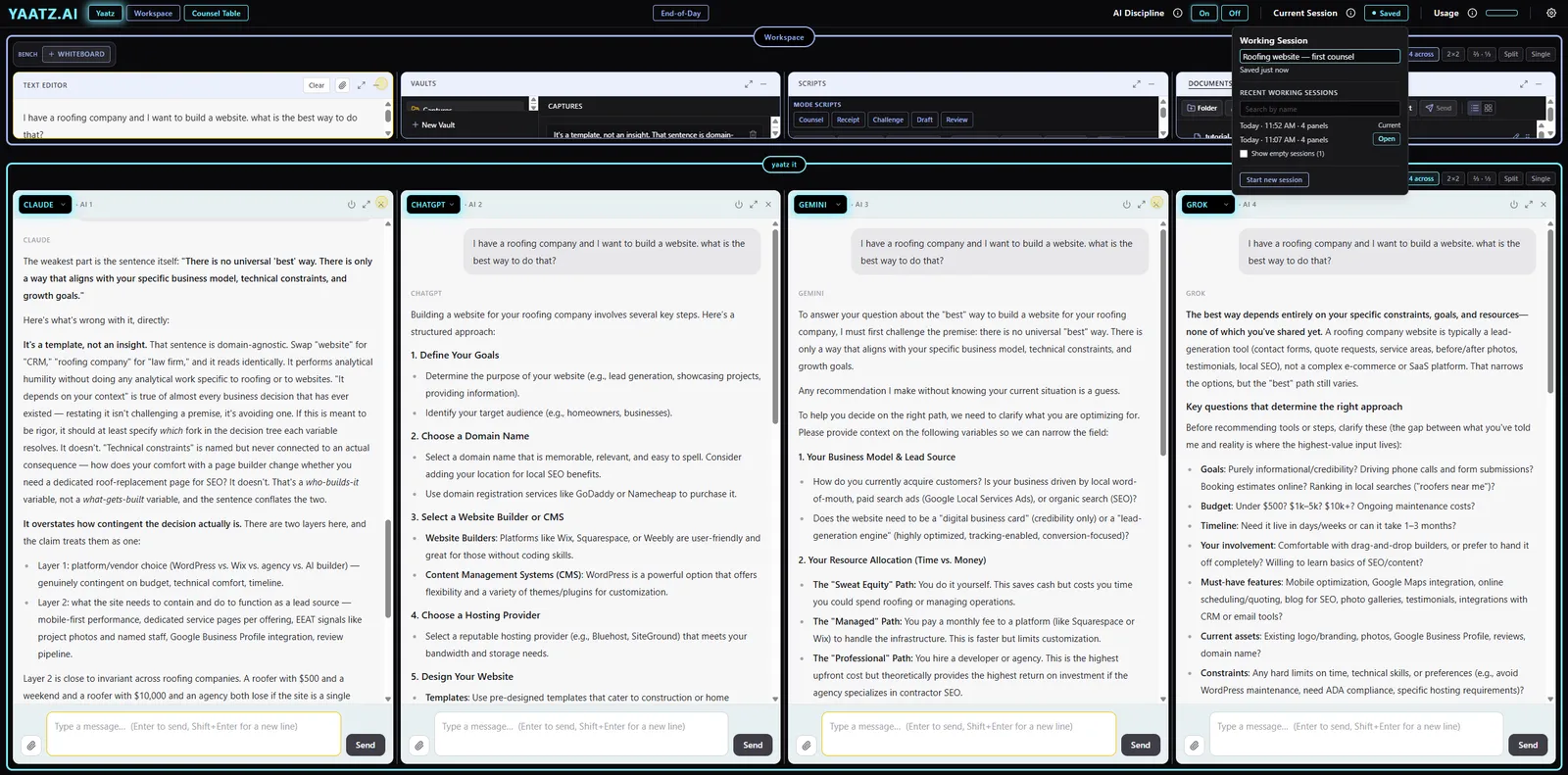
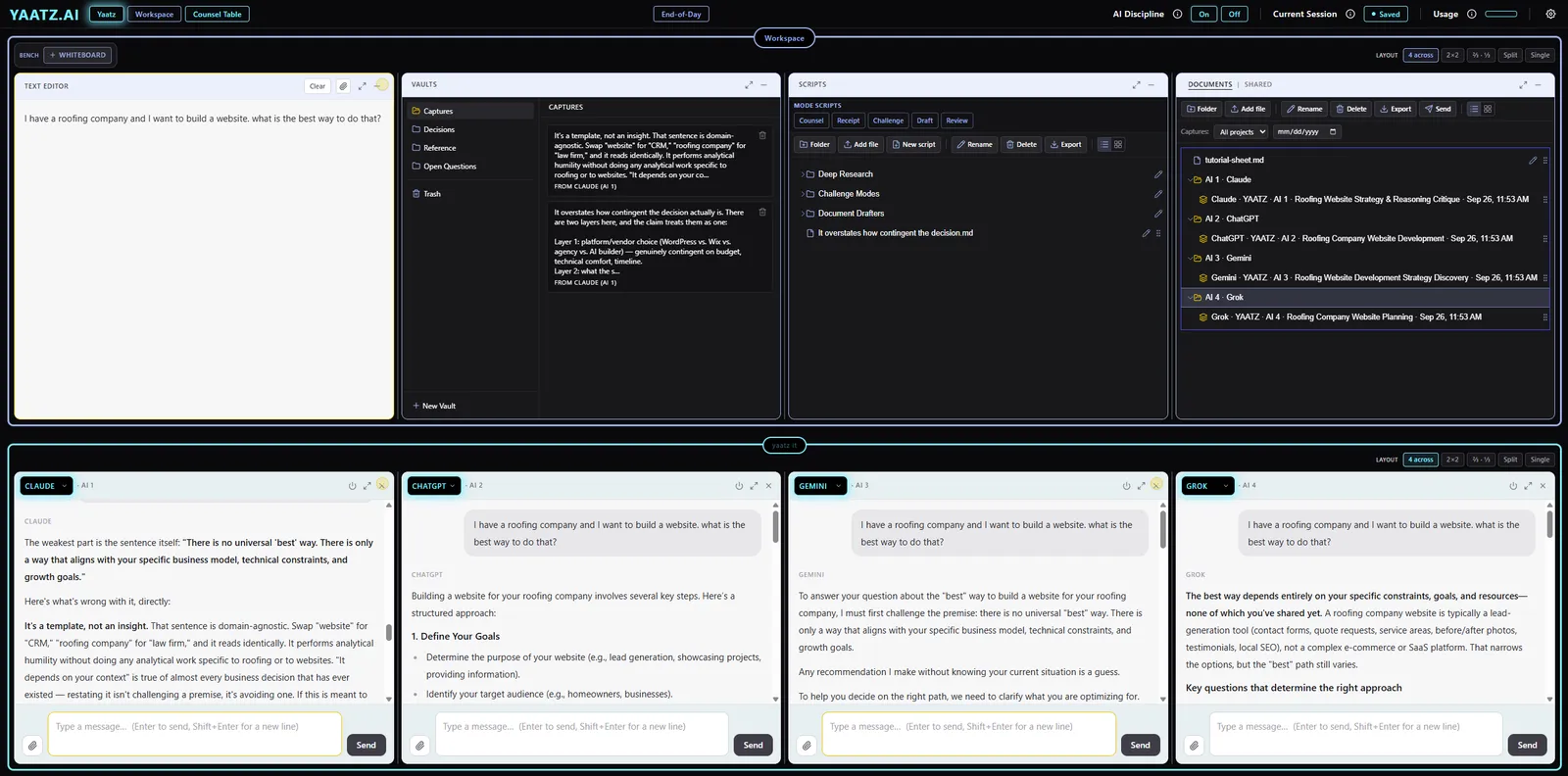
How a session goes
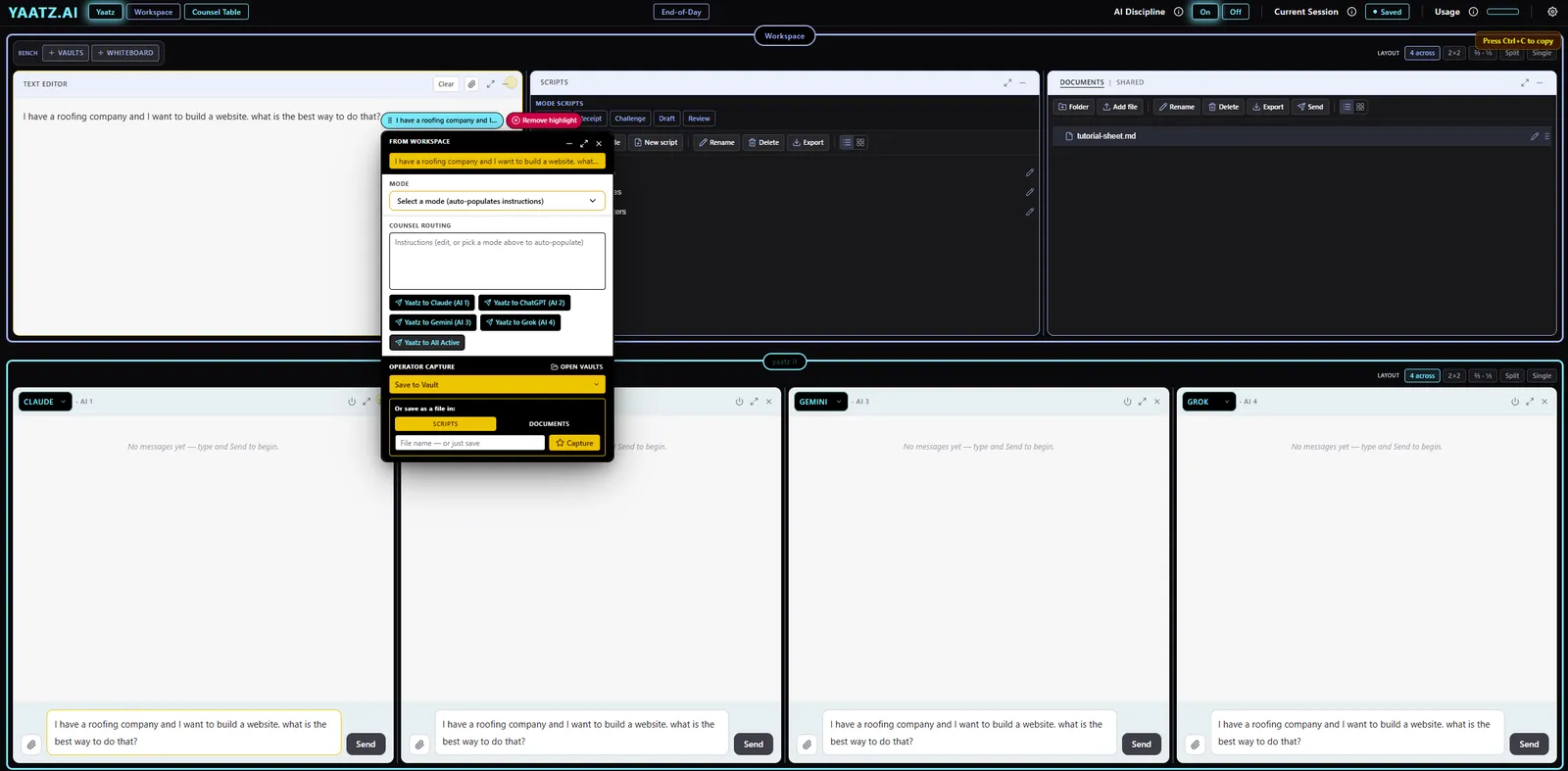
Load what the AIs need to know.
Drop a document on a seat. The AI reads it, confirms receipt, and waits for your question.
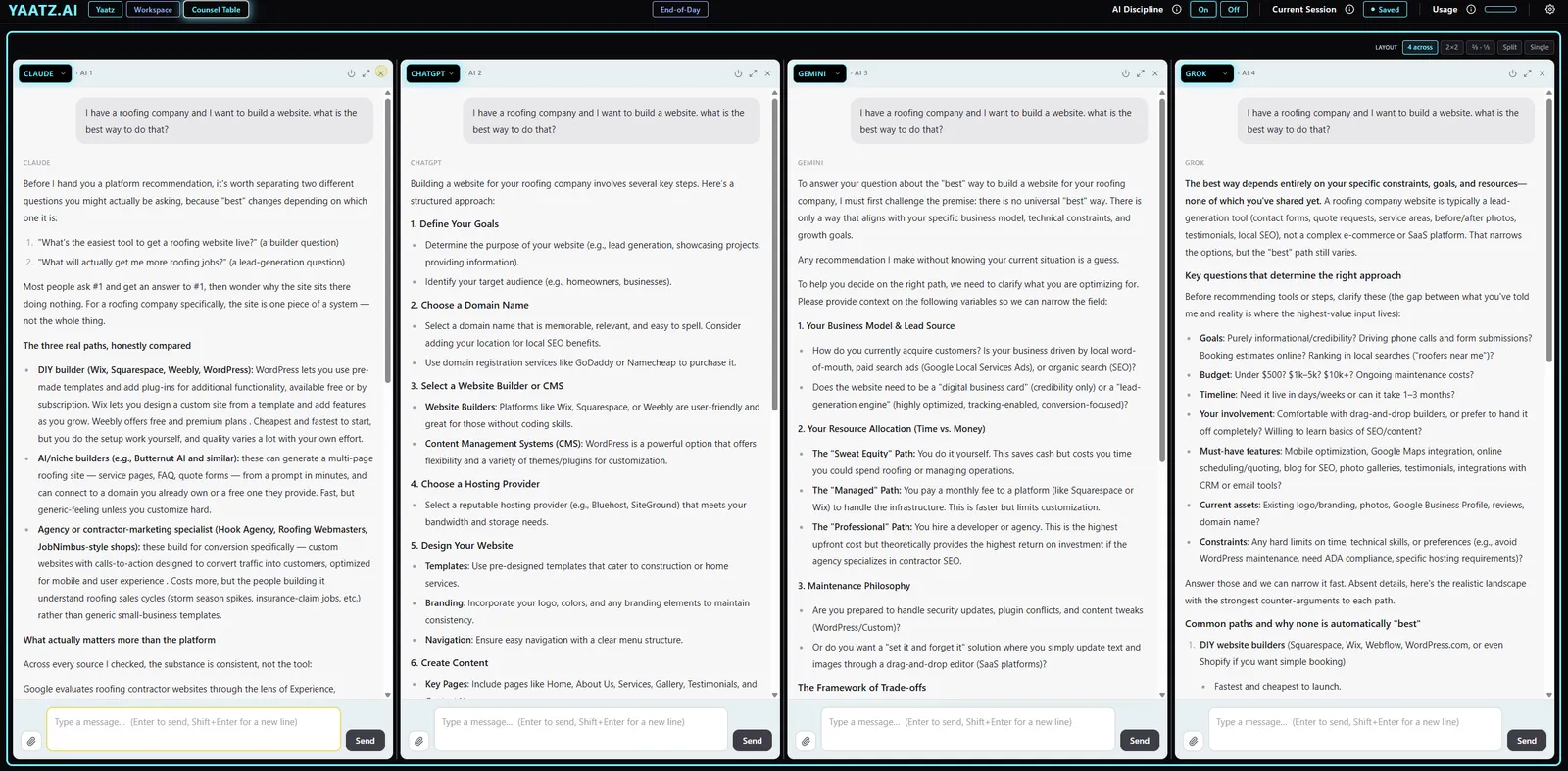
Ask all four at once.
One question, four independent answers. No seat sees the others unless you send it.
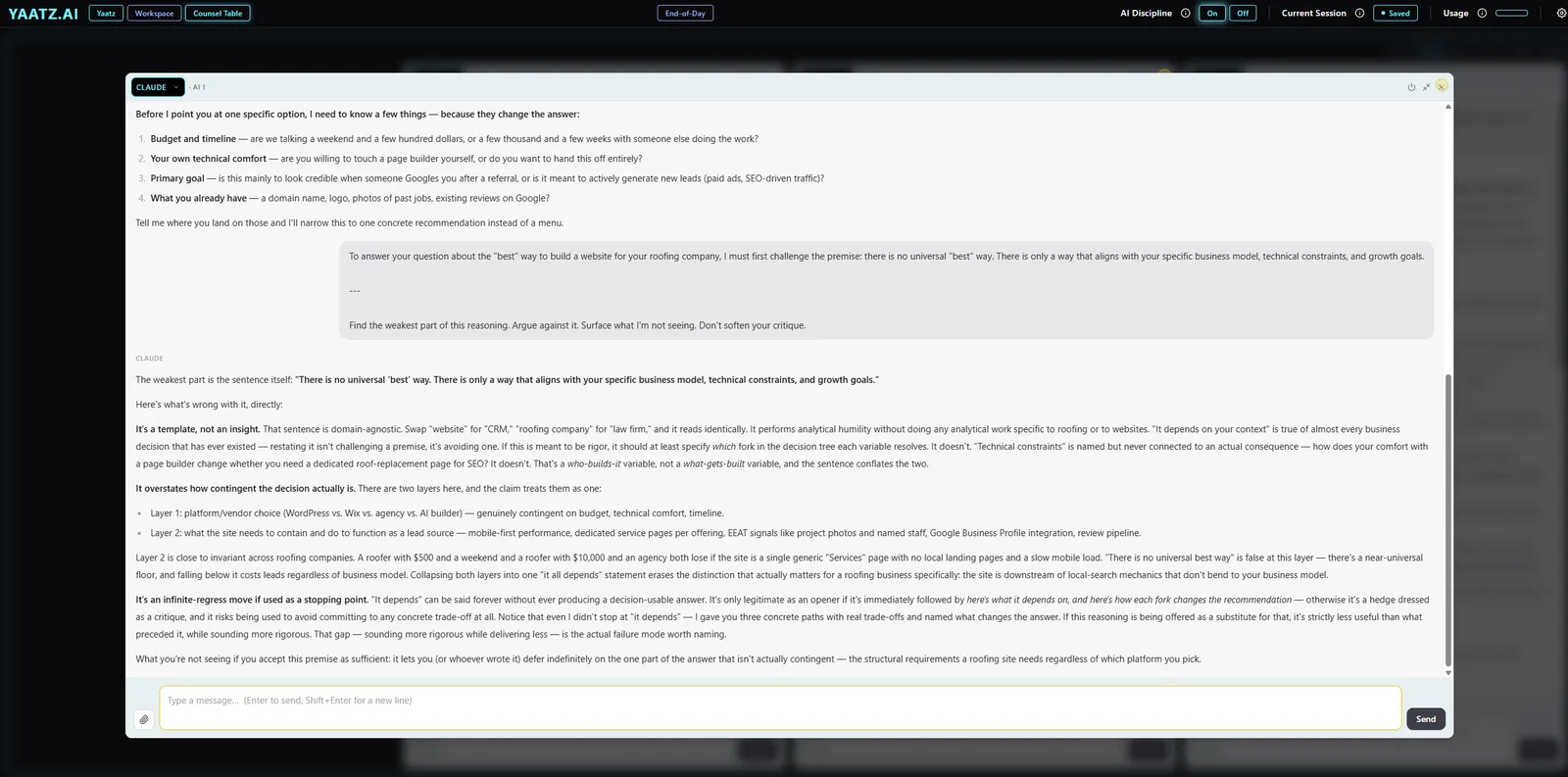
Make them argue.
Highlight any answer, pick Challenge, and send it to another seat. The gap between them is the useful part.
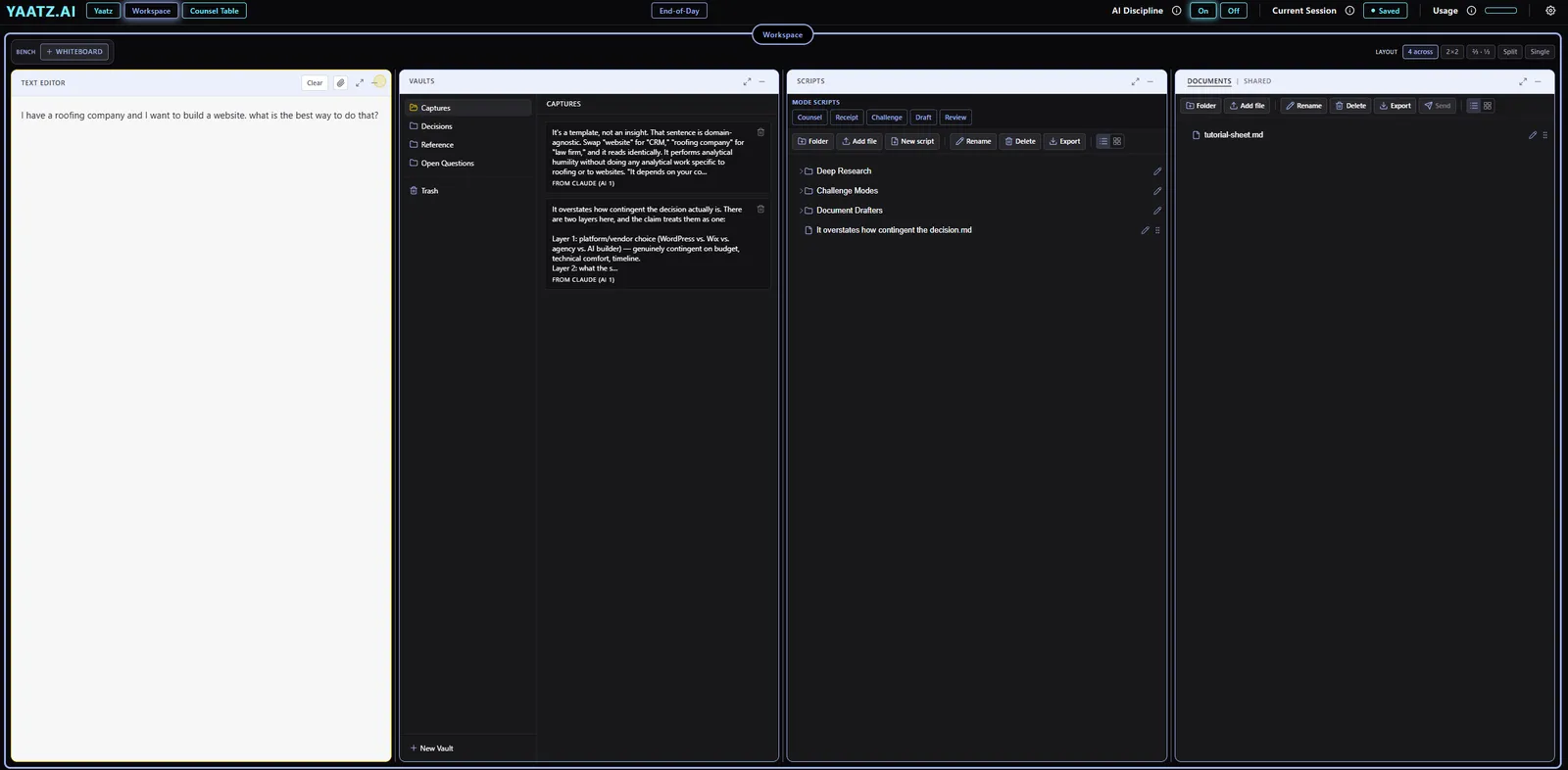
Keep what matters.
Passages go to vaults, files to Documents, exported as Markdown, PDF or Word.
Come back tomorrow.
Working sessions save themselves and reopen where you left off.
End the day with decisions.
One button writes the summary for every seat: what was decided, what’s open, what’s next.
What’s inside
| The seats | Four AI seats: Claude, ChatGPT, Gemini, Grok. Any AI in any seat, including four of the same. Swap mid-conversation; the thread carries over and earlier replies stay labeled. Web search in every seat, with sources listed when the AI cites them. Automatic retries, and a plain-language note if a provider is down, with a button to ask another AI instead. |
|---|---|
| Routing | Highlight any passage in any panel, the Text Editor, or a document. Send it to one seat, to all active seats, or to the Workspace. Five modes that fill in the instructions: Counsel, Receipt, Challenge, Draft, Review. Drag a passage onto a seat. |
| Files | Attach text, Markdown, PDF, Word, Excel, CSV, PowerPoint and images (10 MB documents, 5 MB images). Drop a document on a seat and the AI receives it and waits. |
| The Workspace | Text Editor with no AI attached. Documents and Scripts in folders, list or tile view, rename, reorder, export as Markdown, PDF or Word. Vaults for captured passages, with trash and restore. Whiteboard. |
| Memory | Working sessions save every seat’s conversation, drafts, AI choices and layout, on the device first and then synced. Name a session, search sessions, resume any of them. |
| End-of-Day | For every open seat, the full transcript plus an AI-written summary: decisions, open questions, next steps. Filed under each seat’s folder in Documents, filterable by date. |
| AI Discipline | On by default. Every seat gets the YAATZ operating doctrine: you decide, the AI challenges rather than agrees, checks sources, and says when it’s guessing. Turn it off to see the AIs’ default behavior. |
| Layout | Four across, 2×2, ⅔·⅓, split, single. Resize panels, enlarge any panel, bench what you’re not using. |
| Account | Magic-link sign-in, no password. A usage meter shows how much of the month’s allowance you’ve used. Help / Support reaches a person. |
What it isn’t
- YAATZ doesn’t act on its own. You remain the operator; nothing goes to an AI unless you send it or drop a file on a seat.
- YAATZ is designed for a laptop or desktop. Everything works on a phone; it’s just harder to navigate in depth.
- Support isn’t outsourced. While YAATZ is early, when you ask for help, you’re reaching me.
The manual is a script. Paste it into any AI and it teaches you YAATZ one step at a time.